
Is a Slow Website Costing Your Business Customers?
Introduction
When someone visits your website, they expect it to work quickly and smoothly.
Pages should load without unnecessary delays, buttons and menus should respond when they are used, and content shouldn’t suddenly move around the screen while someone is trying to read or interact with it.
When these things don’t happen, the experience can quickly become frustrating.
For a business website, that matters. A potential customer who encounters a slow or difficult website may not wait for you to fix the problem. They can simply return to the search results and try another business.
Website performance is therefore about more than technical scores. It affects the experience you provide to potential customers and can influence whether they stay, explore your services and take the next step.
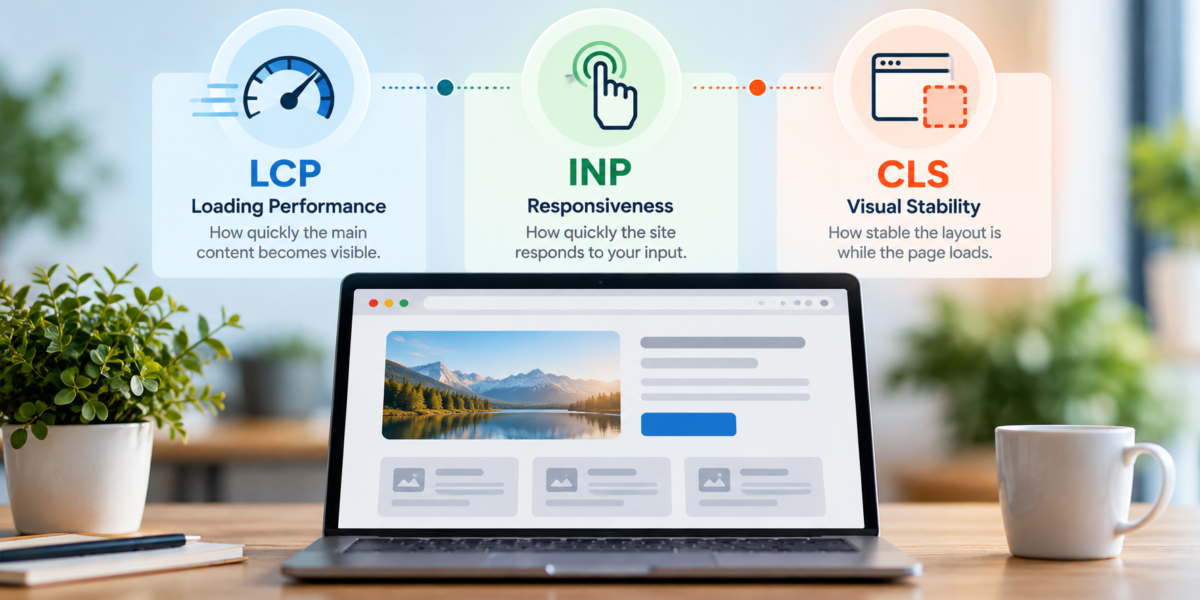
Google’s Core Web Vitals provide a useful way of measuring three important aspects of that experience: how quickly the main content loads, how responsive the page is when someone interacts with it, and how visually stable the page remains while loading.
You don’t need to become a technical specialist to benefit from these measurements. Understanding what they represent can help you recognise performance problems and identify where improvements could make your website faster, smoother and easier for customers to use.
Website Performance Affects Your Customers
Website performance is easy to think of as a technical issue, but your customers experience the consequences directly.
Imagine a potential customer finding your business through a search and clicking through to one of your service pages. If the page appears quickly and works smoothly, they can immediately start finding out whether you can help them.
If instead they are left waiting for the main content to appear, the menu responds slowly or the page keeps shifting as images and other elements load, you are putting obstacles in their way before they have even considered your business.
The same problems can affect important actions elsewhere on the website. A slow contact page, an unresponsive booking button or a form that is difficult to use can interrupt the journey at exactly the point when someone is ready to make contact.
Performance problems can be particularly noticeable on mobile devices, where visitors may be using different connection speeds and less powerful hardware.
This doesn’t mean every page needs to appear instantaneously or achieve a perfect performance score.
The objective is to provide an experience that feels fast, responsive and stable enough that the website itself doesn’t become an obstacle.
Your customers shouldn’t need to think about website performance. Ideally, they won’t notice it at all — because everything simply works as expected.
What Are Core Web Vitals?
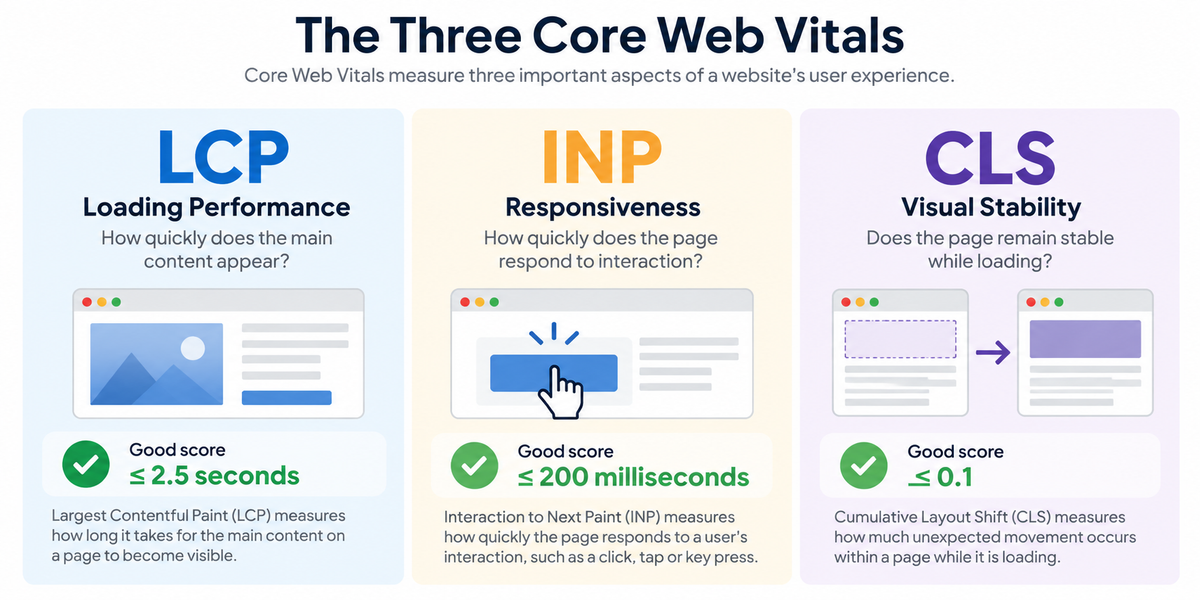
Core Web Vitals are a set of measurements developed by Google to assess important aspects of how people experience a web page.
Rather than simply measuring how long an entire page takes to load, they focus on three specific parts of the experience:
Largest Contentful Paint (LCP) measures loading performance. In practical terms, it looks at how quickly the main content of the page becomes visible.
Interaction to Next Paint (INP) measures responsiveness. It looks at how quickly the page responds when someone interacts with it, such as clicking a button or opening a menu.
Cumulative Layout Shift (CLS) measures visual stability. It identifies unexpected movement of content while the page is loading.
These measurements may sound technical, but the experiences they describe are familiar.
Have you ever opened a web page and waited for the main image or content to appear? Tapped a button and wondered whether anything was happening? Tried to select something only for the page to move at the last moment?
Those are exactly the kinds of problems Core Web Vitals are designed to help identify.
For a business owner, the important thing isn’t remembering the technical terminology. It is understanding what the measurements tell you about the experience your website is providing to potential customers.
Does Your Website Load Quickly Enough?
The first few moments after someone arrives on your website can have a significant effect on their experience.
Visitors shouldn’t be left looking at an incomplete page while the main content slowly appears. They have clicked because they want information, and unnecessary delays create friction before they have even had an opportunity to consider what your business offers.
Largest Contentful Paint, or LCP, measures how quickly the main visible content of a page loads. This might be a large image, a heading or another prominent content element.
Google considers an LCP of 2.5 seconds or less to provide a good experience, although the important issue for your business is how the website actually feels to the people using it.
Large, poorly optimised images are a common cause of slow loading, but they aren’t the only one. Hosting performance, website code, fonts, plugins and third-party scripts can all contribute to delays.
It is also important to test more than your homepage. Service pages, articles, landing pages and contact pages may perform very differently depending on how they have been built and what they contain.
Try opening some of your most important pages on a mobile phone rather than relying entirely on how quickly they load on your usual computer and internet connection.
If potential customers regularly have to wait for your content, improving loading performance can remove one more obstacle between them and the information they came to find.
Does Your Website Respond When Customers Use It?
A website shouldn’t just load quickly. It also needs to respond promptly when someone tries to use it.
Visitors interact with websites in many ways. They open menus, click buttons, select options, complete forms and move between different parts of a page. When there is a noticeable delay between an action and the website responding, the experience can feel slow or unreliable.
Interaction to Next Paint, or INP, measures this responsiveness.
For example, someone might tap the menu on their phone and wait before it opens, click a button without seeing an immediate response or select an option in a form that takes too long to update.
Google considers an INP of 200 milliseconds or less to provide a good experience.
Poor responsiveness can be caused by several factors, including excessive JavaScript, complicated functionality and third-party scripts that place additional demands on the browser.
For a business owner, however, the underlying technical cause is less important than recognising the effect on your customers.
Try interacting with your website as they would. Open the navigation, use buttons, complete forms and test any important interactive features, particularly on a mobile device.
When someone decides to take an action on your website, the website should respond quickly enough that they never have to wonder whether it worked.
Does Your Content Move Around While the Page Loads?
Have you ever tried to click a button or link on a website, only for it to move just as you were about to select it?
Unexpected movement while a page is loading can be particularly frustrating. Text may suddenly shift down the screen, an image might appear and push other content aside, or a button can move because another element has loaded above it.
Cumulative Layout Shift, or CLS, measures this visual instability.
Google considers a CLS score of 0.1 or less to provide a good experience. Unlike LCP and INP, CLS isn’t measured in seconds or milliseconds. It is a score based on how much visible content unexpectedly moves and how significant those movements are.
Layout shifts can occur when images or videos haven’t been given appropriate dimensions, fonts change after loading, advertisements or embedded content appear unexpectedly, or other elements are inserted into a page after the initial content has appeared.
For your customers, the technical reason doesn’t matter. What they experience is a page that feels unstable and unpredictable.
This can be particularly disruptive when someone is trying to complete a form, follow a link or select a button.
Watch your important pages as they load, particularly on mobile devices. If content regularly jumps around or controls move before visitors can use them, improving the page’s visual stability can make the whole website feel more polished, reliable and easier to use.
Five Ways to Improve Your Website’s Performance
Improving website performance can involve technical work, but there are several practical areas worth investigating first.
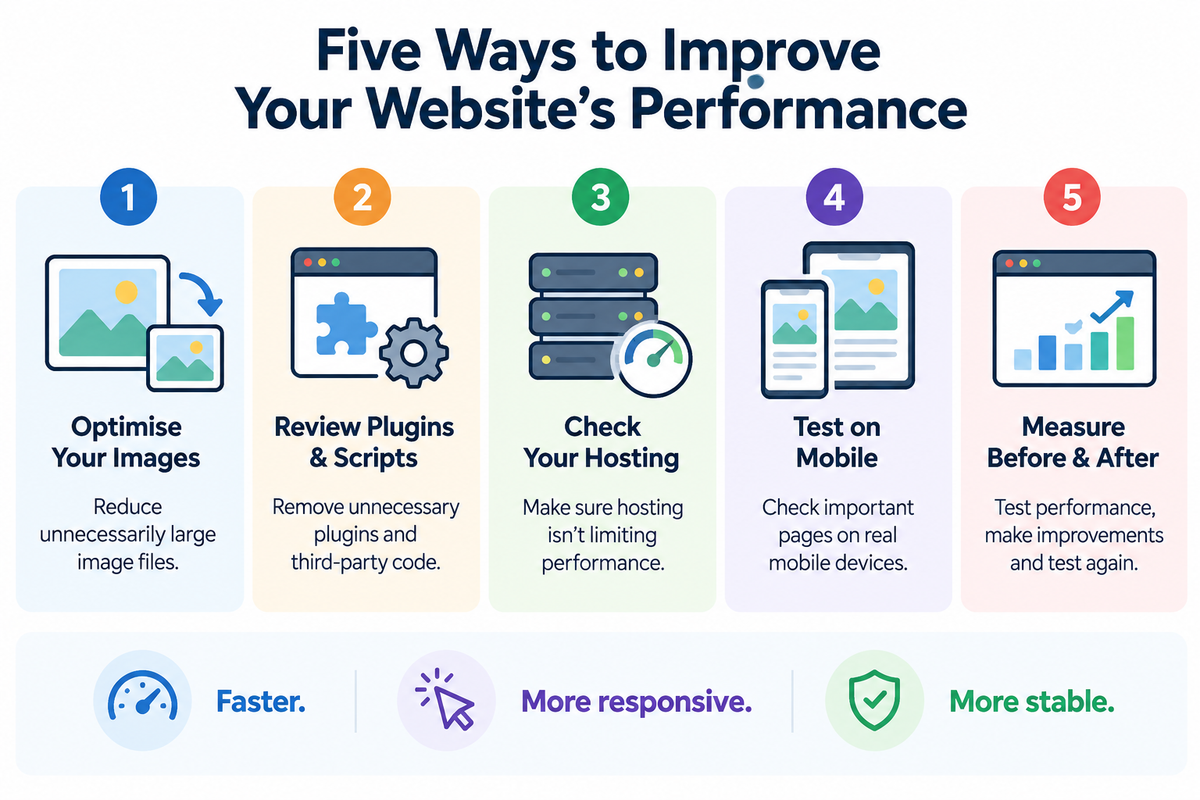
Here are five places to start:
- Optimise your images
Large image files can significantly increase loading times. Make sure images are appropriately sized for where they are being used and saved in efficient formats without unnecessarily sacrificing quality. - Review plugins and third-party scripts
Websites often accumulate plugins, tracking tools, embedded services and other scripts over time. Remove anything you no longer need and investigate whether the remaining tools are affecting performance. - Check your hosting
Your hosting environment can influence how quickly your website responds and delivers content. If the site remains consistently slow despite other improvements, hosting performance may be worth investigating. - Test your most important pages on mobile
Don’t assume that good performance on your desktop computer means everyone receives the same experience. Test service pages, contact forms and other important journeys on real mobile devices. - Measure before and after making changes
Use performance testing tools to establish where problems exist before making changes. Once improvements have been made, test again to see whether they have actually made a difference.
You don’t necessarily need to fix everything at once. Start with the problems that have the greatest effect on the pages your customers use most frequently.
The objective isn’t simply to achieve a higher performance score. It is to create a website that loads quickly, responds promptly and remains stable while your customers use it.
Website Performance Is Only Part of the Experience
A fast website is important, but speed alone doesn’t make a website effective.
A page can achieve excellent performance scores and still be confusing to navigate, difficult to read or unclear about what a visitor should do next. Equally, useful content can be undermined if the website is so slow or unstable that people struggle to access it.
Website performance therefore needs to be considered as part of the wider user experience.
Clear navigation, useful content, mobile-friendly design, accessibility and obvious calls to action all contribute to how easily potential customers can use your website. Core Web Vitals help measure some important technical aspects of that experience, but they don’t measure everything that matters.
The objective shouldn’t be to pursue perfect scores at the expense of the website’s purpose. Removing useful functionality simply to improve a performance score may not improve the experience at all.
Instead, concentrate on achieving a sensible balance.
Your website should load quickly, respond promptly and remain visually stable, while still providing the information and functionality your customers need.
Ultimately, good website performance should support the customer journey rather than become an objective in its own right.
How Well Is Your Website Performing?
Website performance problems aren’t always obvious when you work with your own website every day.
Your computer, internet connection and familiarity with the site may give you a very different experience from someone visiting for the first time on a mobile phone.
An independent review can help identify where slow loading, poor responsiveness or unstable content may be creating unnecessary frustration for potential customers.
Digital Direction can review your website’s performance as part of a wider assessment of the experience it provides, looking at Core Web Vitals alongside factors such as mobile usability, page structure and the customer journey.
The objective isn’t simply to produce a set of technical scores. It is to identify practical improvements that could make your website faster, smoother and easier for potential customers to use.
If you’re concerned about how well your website is performing, talk to us about reviewing your website and identifying where improvements could make the greatest difference.